Raskin
Implementing a zoomable user interface1 on top of a regular desktop operating system is hard. Raskin for Mac is probably as close as we are going to get.
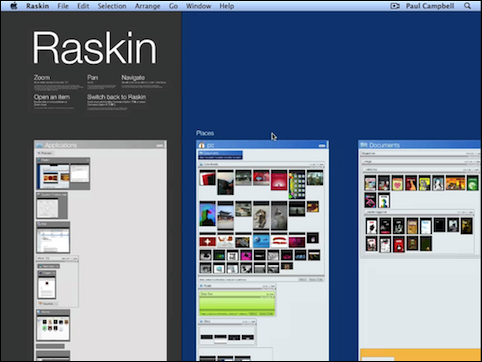
Predictably, it's missing some important features that make zoomable user interfaces great. For example, there is still a distinction between zooming in on a document, and actually opening the document—I don't see how it would be possible to fix this problem while still remaining compatible with Mac OS X, though.
Even so, while Raskin probably wouldn't work as a full replacement for the Finder, I do think that it provides a useful alternative view of your data.
Found via Oliver Reichenstein.
-
I've written about a fully zoomable operating system called Oberon last year. ↩︎
If you require a short url to link to this article, please use https://ignco.de/297