Safari Reader
If you haven't already seen it, Safari Reader is a new feature in Apple's Safari that turns this:
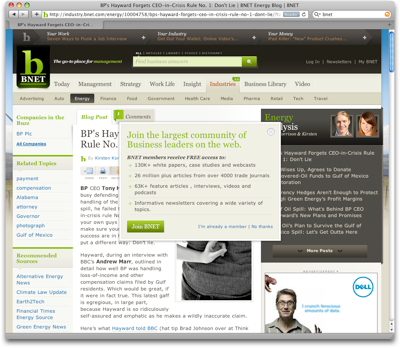
into this:
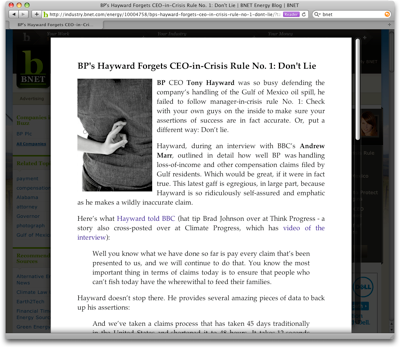
Predictably, this makes a lot of people very unhappy, primarily because it hides ads. But complaining about Safari Reader is the wrong approach. If people are using Safari Reader on your site, they are not doing it to spite you. Rather, they are telling you that there is something wrong with your site.
Via Daring Fireball, Nik Fletcher writes:
My own primary interest in reading online surprisingly goes beyond a headline. I take the time to read an article, and if Safari Reader makes reading much easier, then it’s the site’s fault for failing to make itself reasonably legible.
If your users are using a third-party product to make your product usable, you are doing something wrong.
Activating Safari Reader has a cognitive cost. If your users are activating Safari Reader on your site, this means that the default user experience of your site is so bad that your users first consciously notice that they have trouble reading an article on your site, then remember that they might be able to fix it using Safari Reader, and then actually activate that feature.
The one thing you can immediately influence is whether your users are able to easily read your articles. If they are not, then perhaps Safari Reader is not the problem, but merely a symptom of your actual problem.
If people don't feel the need to use Safari Reader anymore, everybody wins. Don't fight Safari Reader. Instead, make it obsolete.
Further Reading: Fabien Marry has an article about Safari Reader that has a neat illustration showing how much of a website's space is actually used for content.
If you require a short url to link to this article, please use http://ignco.de/299